The fortress · the console

The whole console,screen by screen.

Ten screens, two themes — annotated, including the failure states. Every screen shows the demonstration fortress: Orange Corp's, holding 12,847 sessions for 42 people, administered by a fictional IT administrator. Names aside, this is the console as it runs.

01Operate

Overview

The operational picture at a glance: the five subsystems — Postgres, blob storage, the relay tunnel, embeddings, ingest — each with its live state, then the numbers a fortress answers for: sessions held, residency verified, ingest today, RPC health.
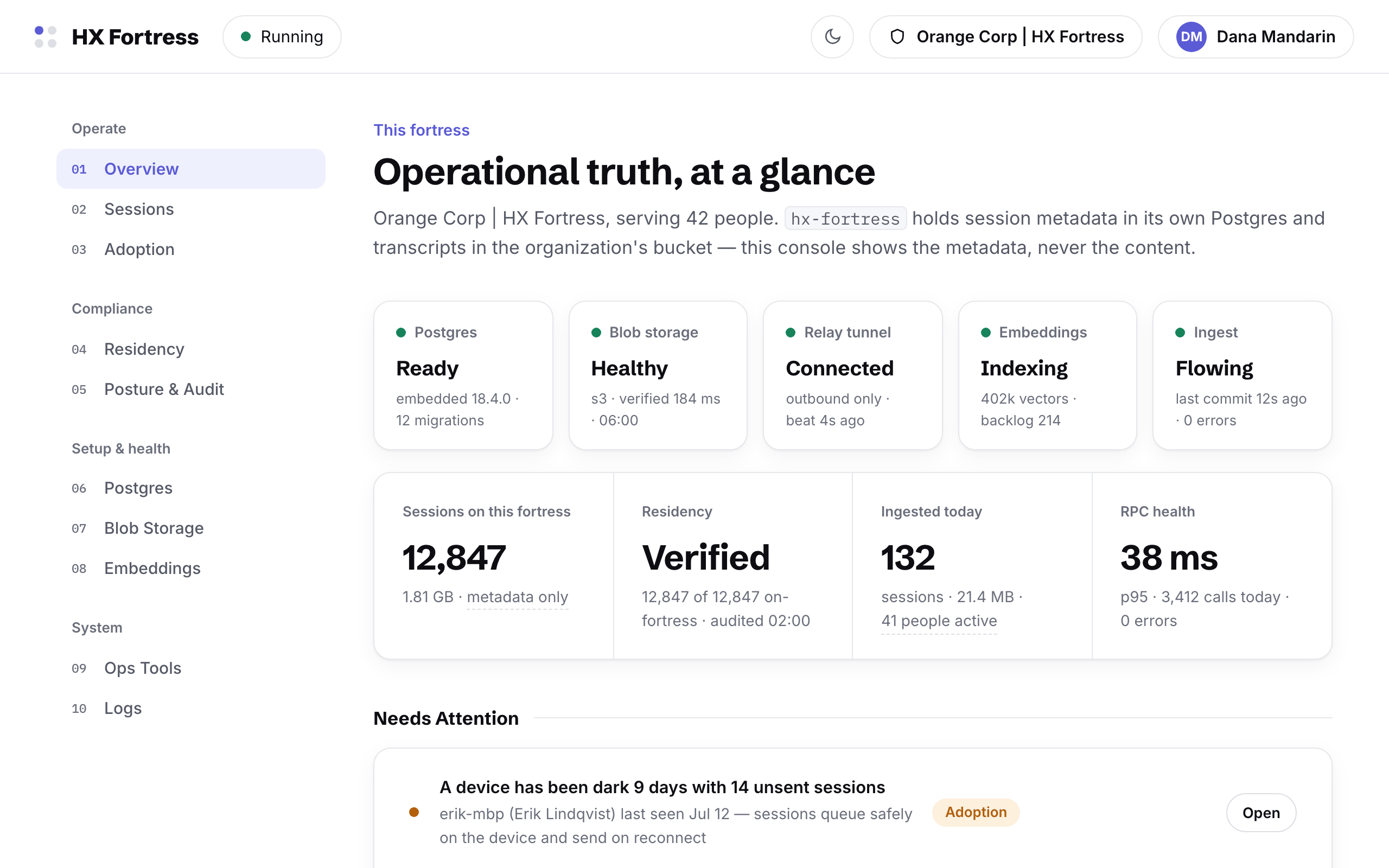
HX Fortress console overview: subsystem health strip, sessions and residency stats, needs-attention list
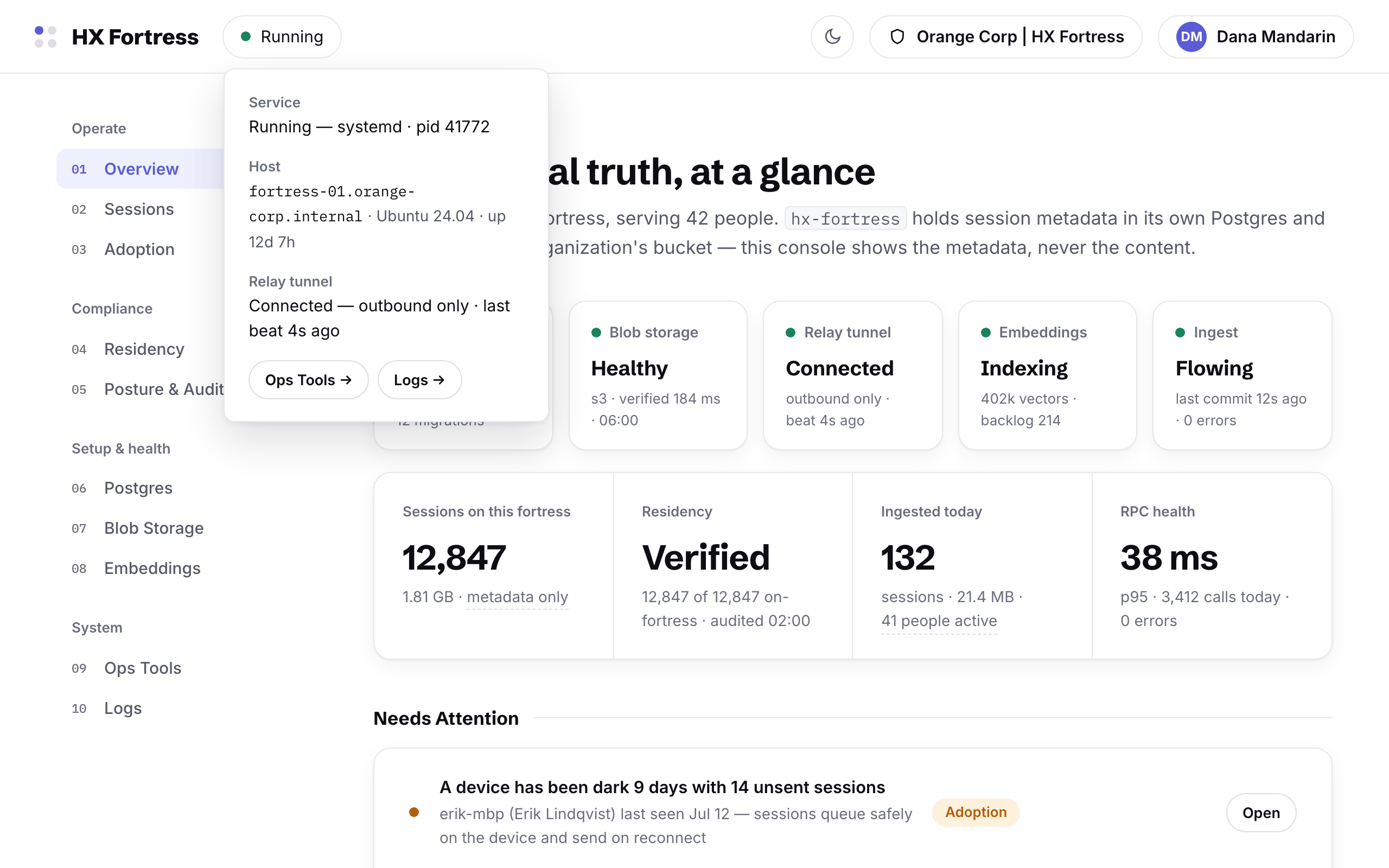
The service chip expanded: systemd process id, host, and the relay tunnel — connected, outbound only, last beat seconds ago
The service chip: systemd, the host, and the relay tunnel — connected, outbound only.
02Operate

Sessions

The metadata explorer: every session the fortress holds, grouped, searched, and opened — titles, sizes, people, repositories. Metadata only, by construction: the console has no surface that renders transcript content.
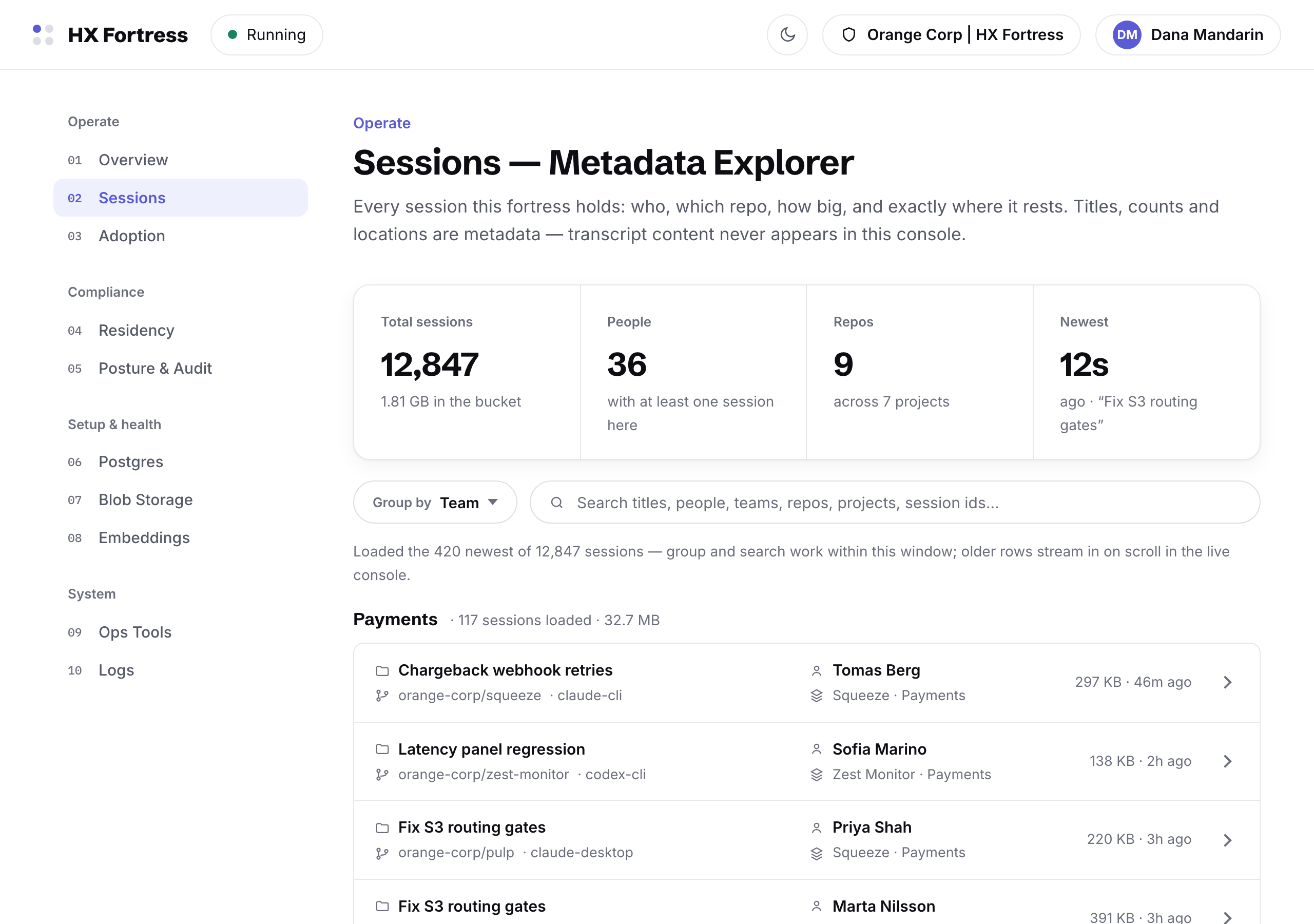
The sessions explorer: sessions grouped by team with sizes, people and repositories — metadata only
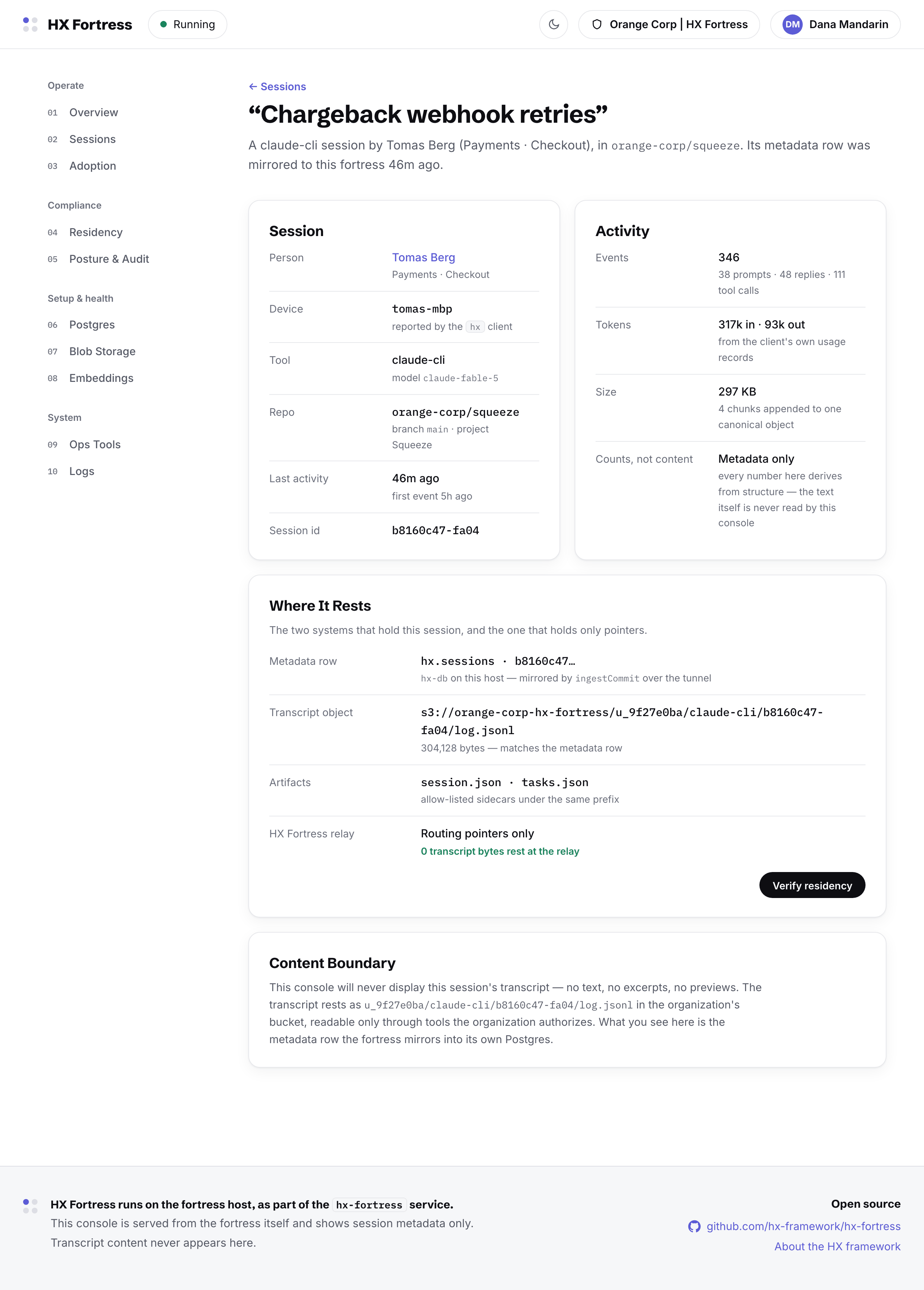
One session's page: its metadata row, storage key, event counts and byte sizes, with a verify-residency action
One session: the metadata row, the storage key, the byte counts — and the verify action that proves where it rests.
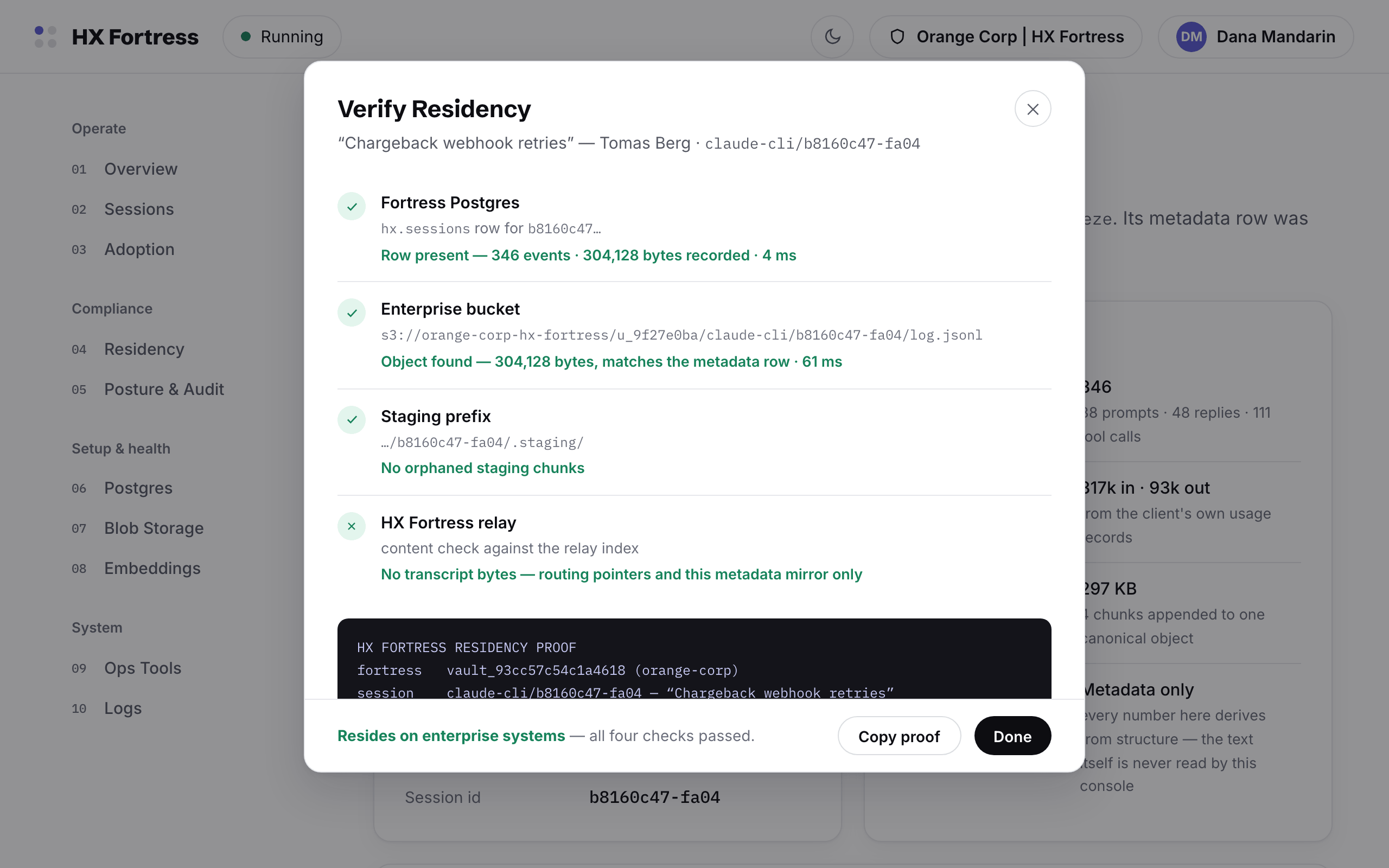
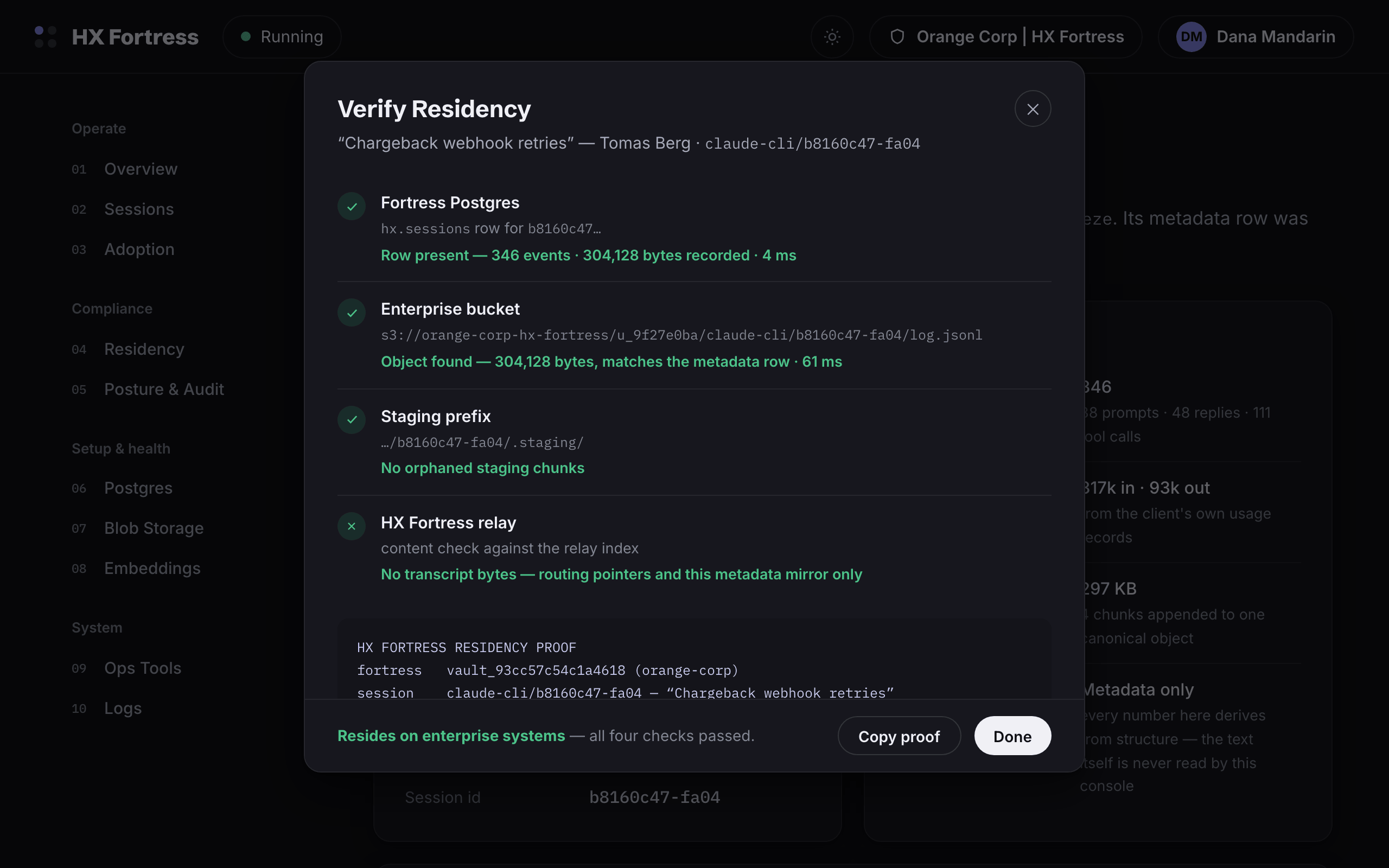
The Verify Residency dialog with all four checks passed and the copyable proof block
The residency proof, live: Postgres row, bucket object byte-for-byte, staging prefix clean, relay index holding pointers only.
03Operate

Adoption

Who is actually covered: which people have the client installed and syncing, who has gone quiet, which devices are dark with sessions still queued on them. Rollout you can measure instead of assume, cohort by cohort, at the organization's own pace.
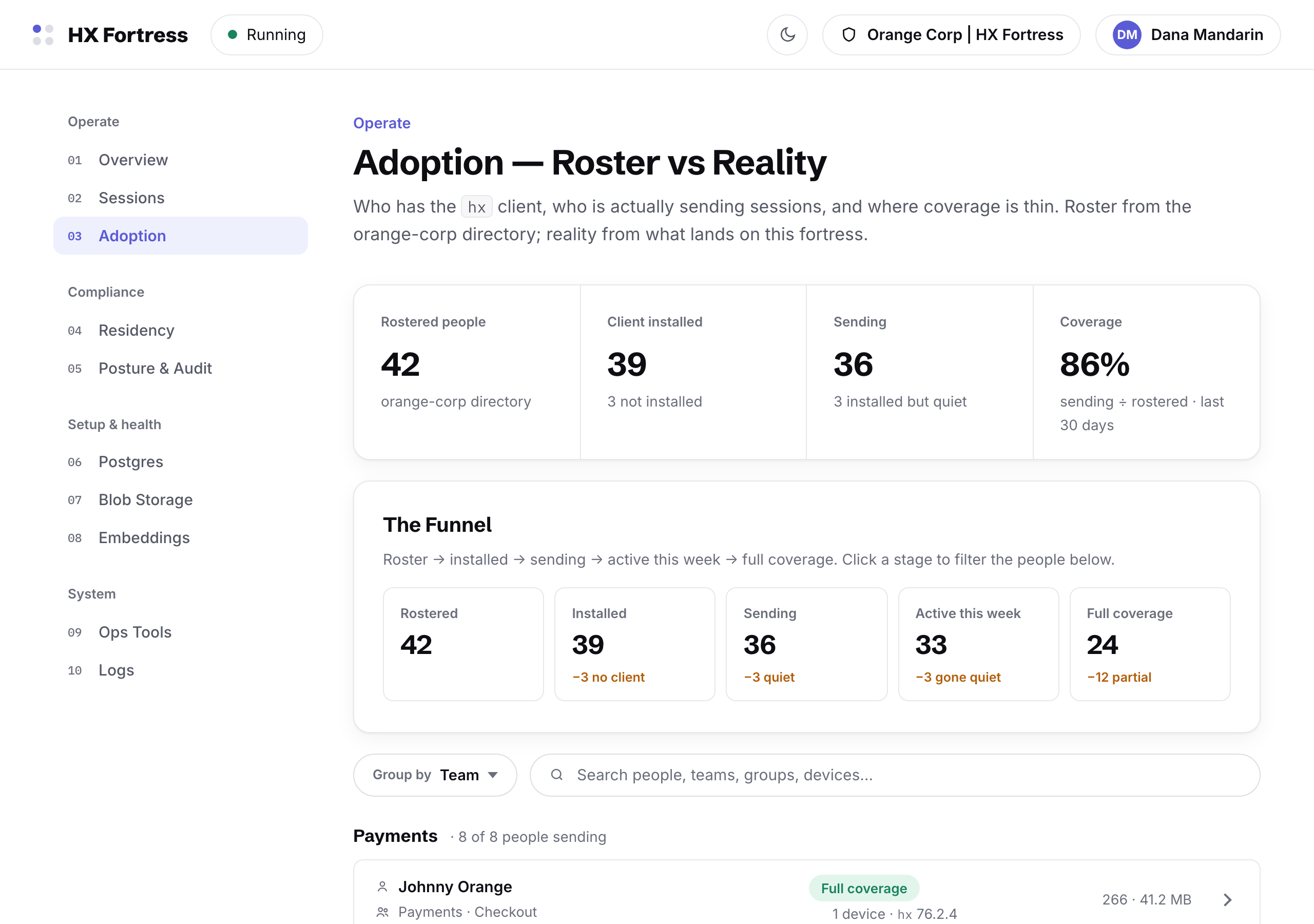
The adoption page: coverage across 42 people, grouped by team, with install and sync state per person
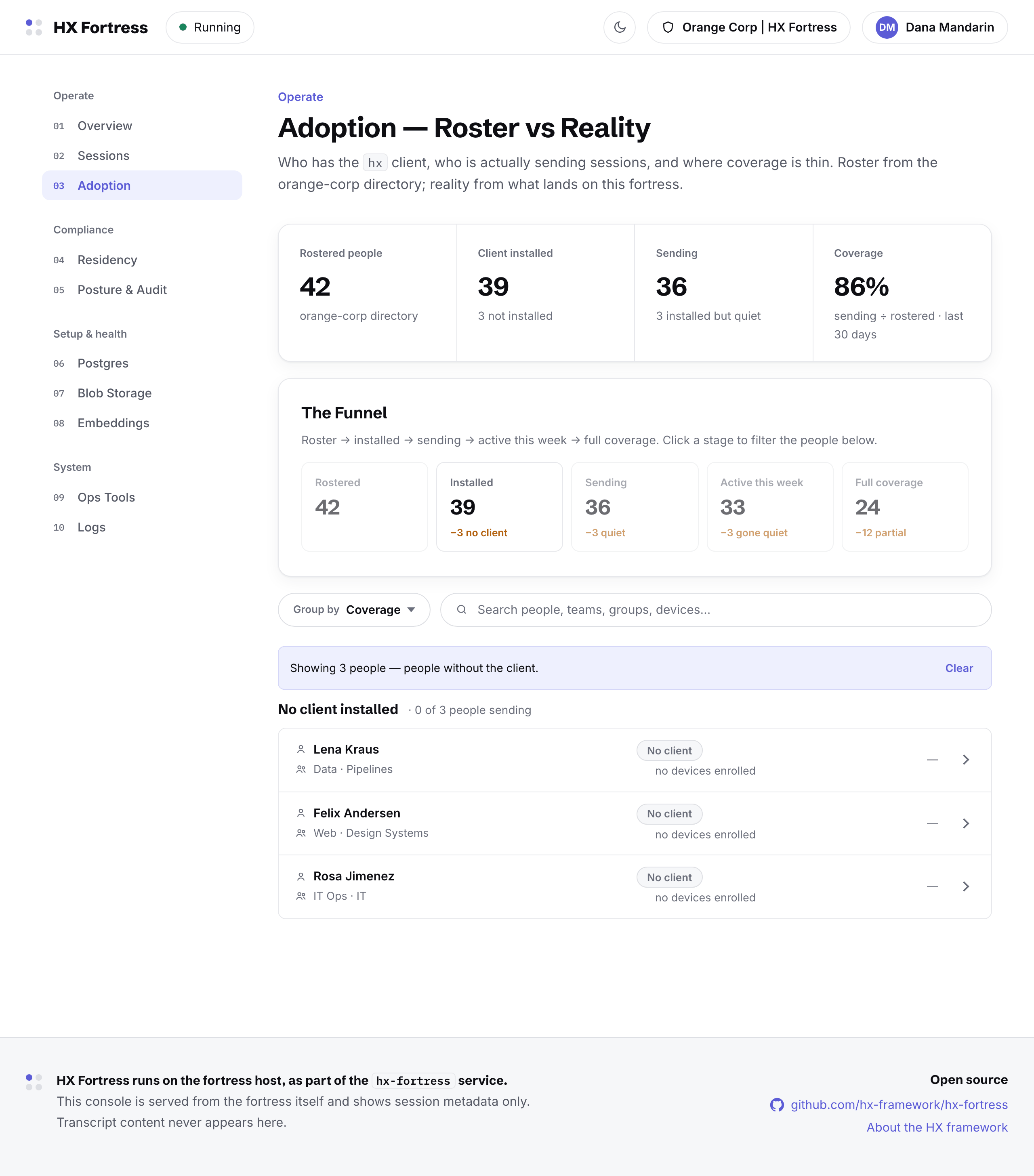
An adoption cohort: the people without the client installed, listed with their teams
A cohort as a URL: the not-installed list, shareable with the team that owns the rollout.
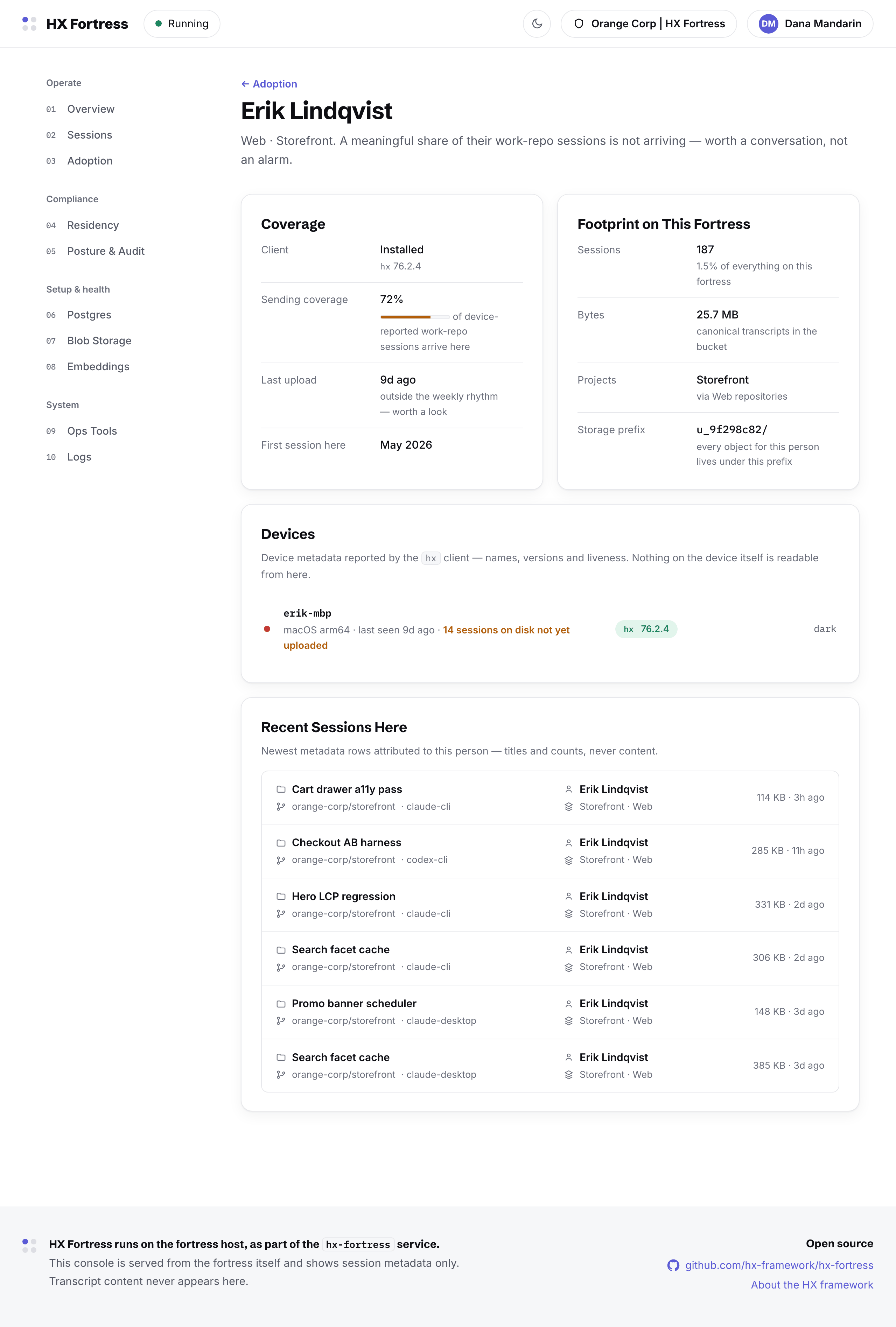
One person's page: their devices, sync state, and session counts — no transcript content
One person: devices, liveness, and counts. The console shows their footprint, never their words.
04Compliance

Residency

The page the fortress exists for: prove where sessions rest. A fleet audit walks every session against the expected path; any single session can be spot-checked; the four routing gates that decide a session's destination are drawn with their live state.
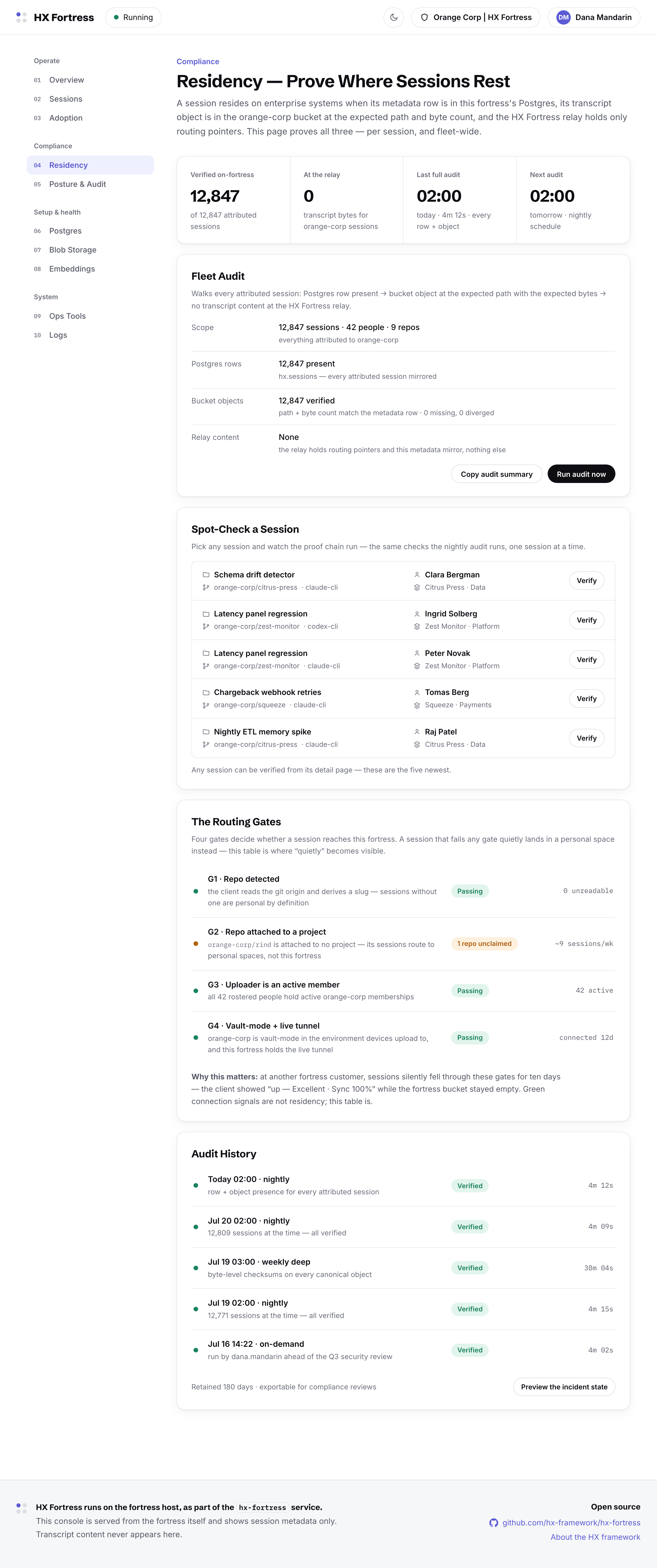
The residency page: fleet audit across all sessions, spot-check list, the four routing gates, audit history
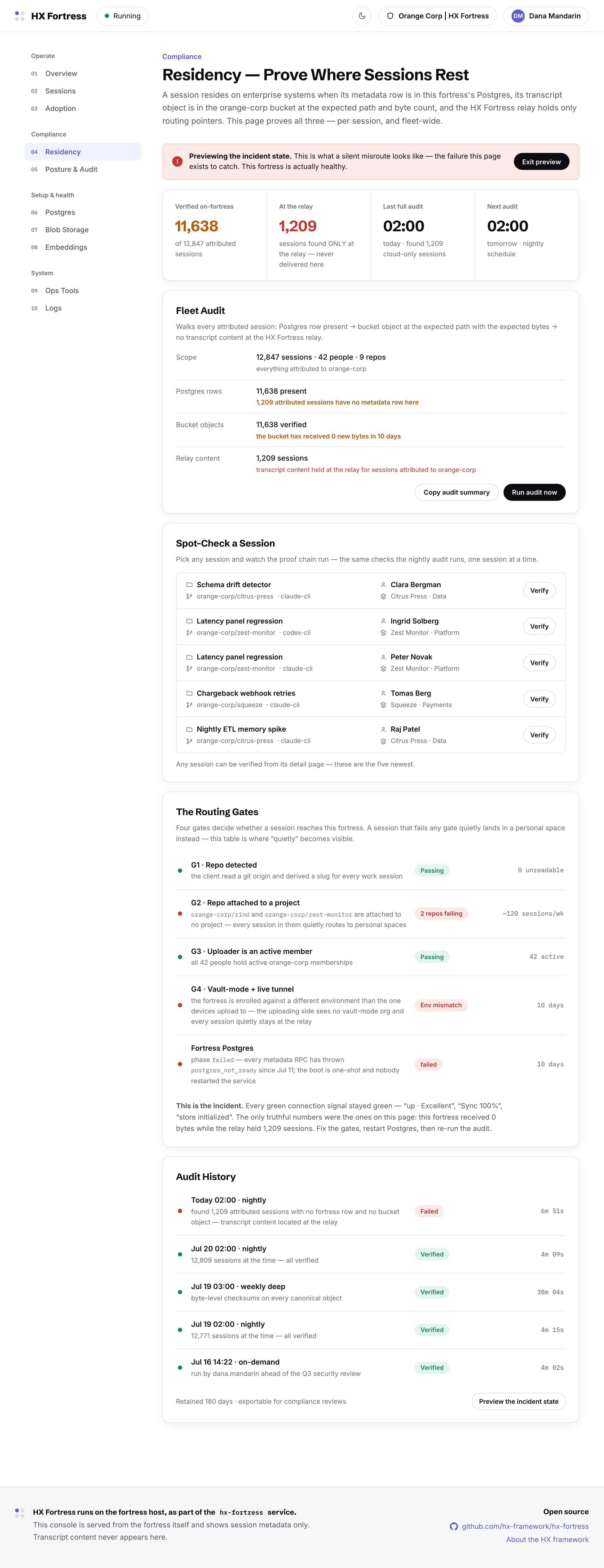
The residency page in its incident state: the verified and at-the-relay split, the failing gate highlighted, and the fix
The incident state, previewed on purpose: sessions pinned at the relay because a gate failed — with the failing gate named and the fix on screen. Teams rehearse this page before they need it.
05Compliance

Posture & Audit

The corporate lenses on the fortress: where data can leave, how long it is kept, and who did what. The egress inventory carries the console's standing rule — anything not on the list does not happen — and the whole page condenses into a one-page report, downloadable as PDF.
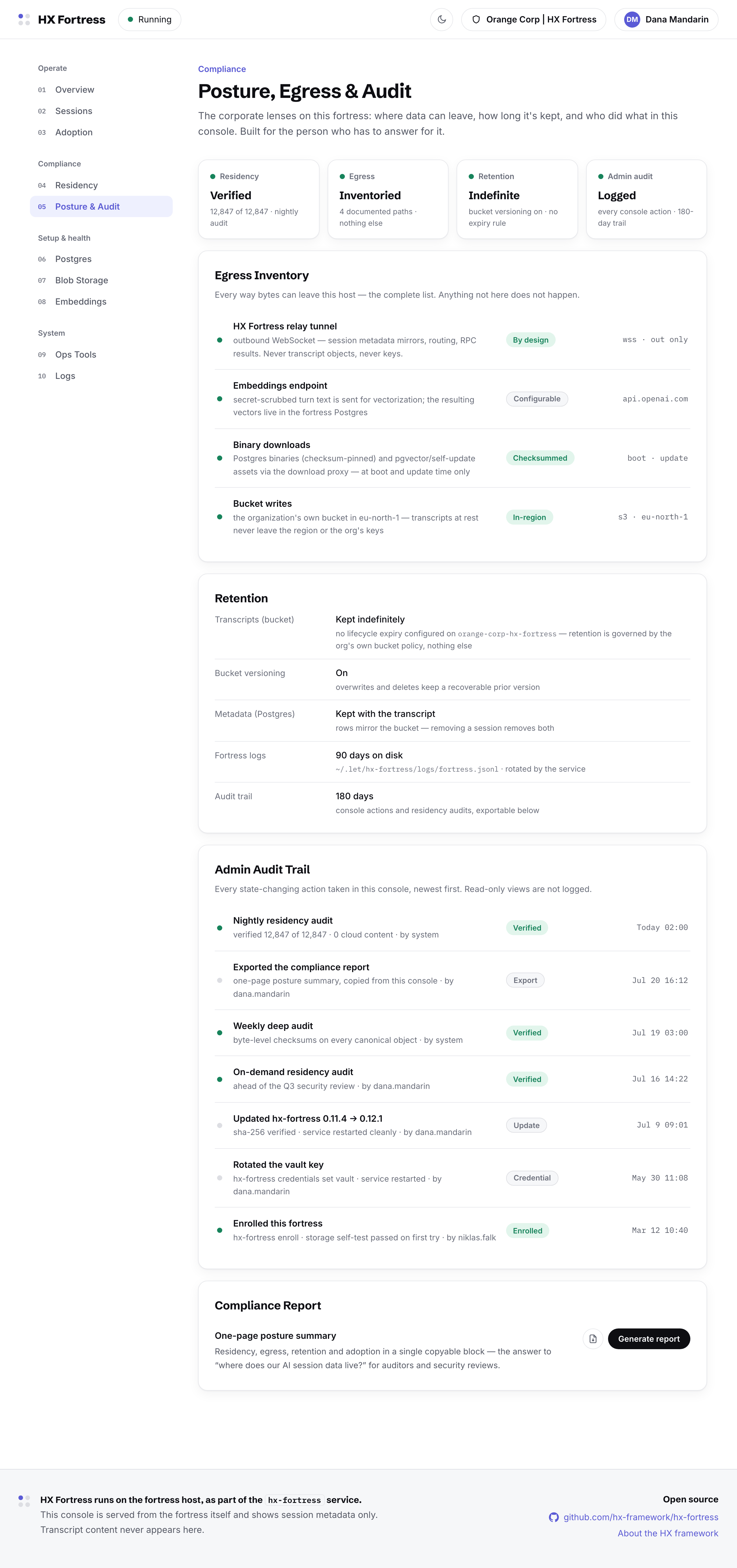
Posture, Egress & Audit: the egress inventory, retention terms, the admin audit trail, and the compliance report generator
06Setup & health

Postgres

The metadata store, from the operator's seat: version, migrations, connection, and what each part of the service does when Postgres is away. Blob writes keep landing even while metadata is down — transcripts stay safe in the bucket.
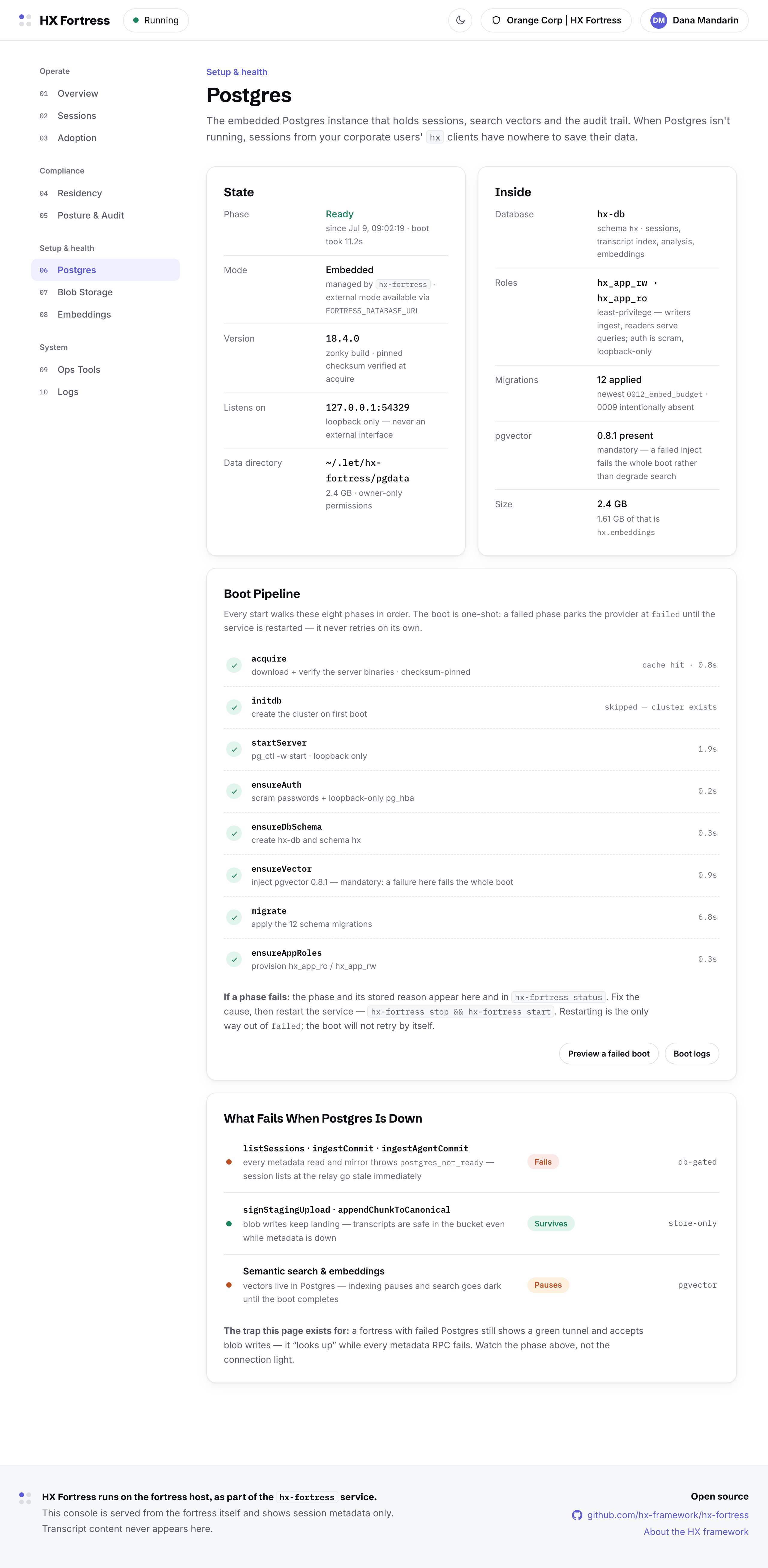
The Postgres page: embedded version, migrations, connection facts, and what survives an outage
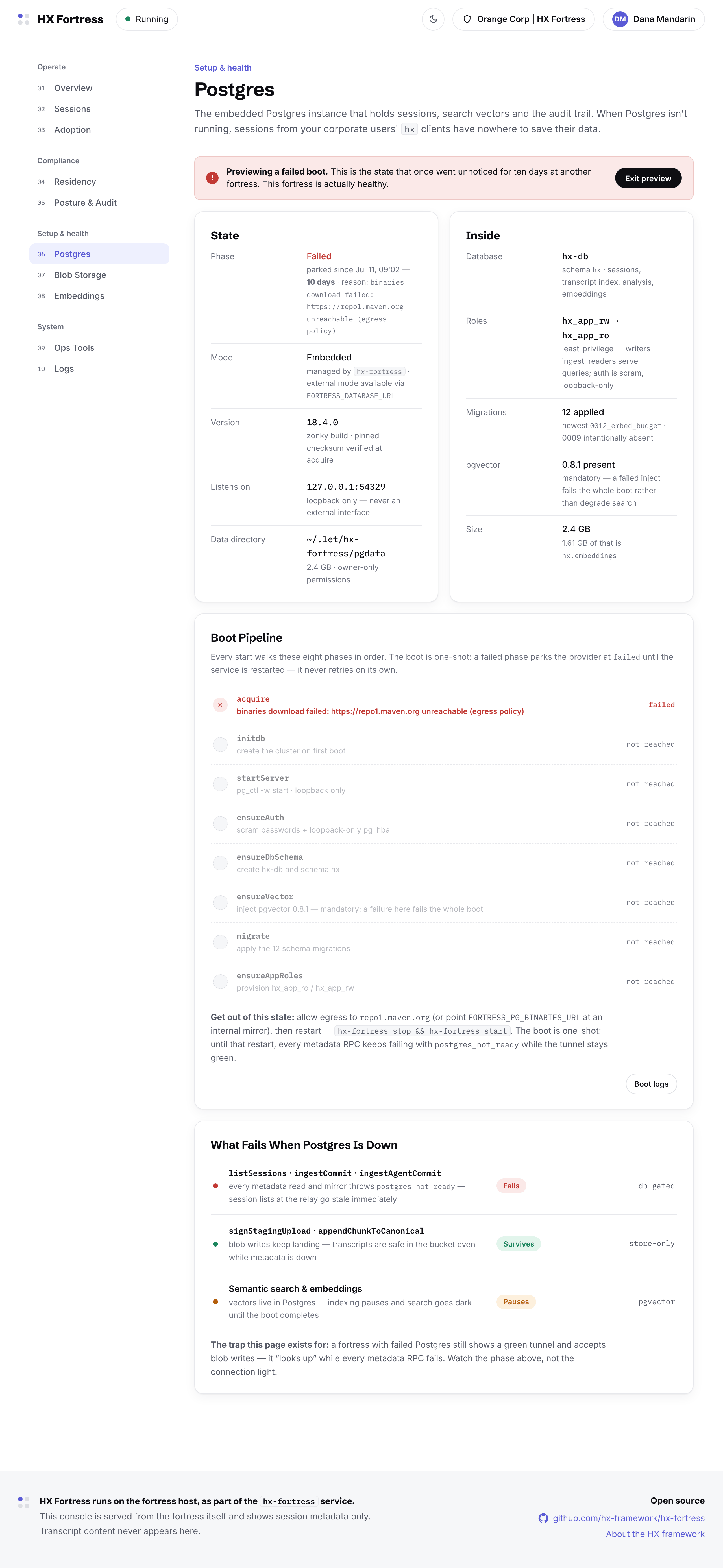
The failed-boot preview: the exact walkthrough the console renders when Postgres cannot start, step by step to the fix
The failed-boot state, previewable: when Postgres cannot start, the console renders the walkthrough to the fix — because without it, sessions from your corporate users' clients have nowhere to save their data.
07Setup & health

Blob Storage

Where transcript bytes actually rest: the organization's own bucket, verified with a real write, read-back, and delete. Changing the storage target is a decision with consequences, so it gets a dialog — and a migration is a run: addressable, logged, resumable.
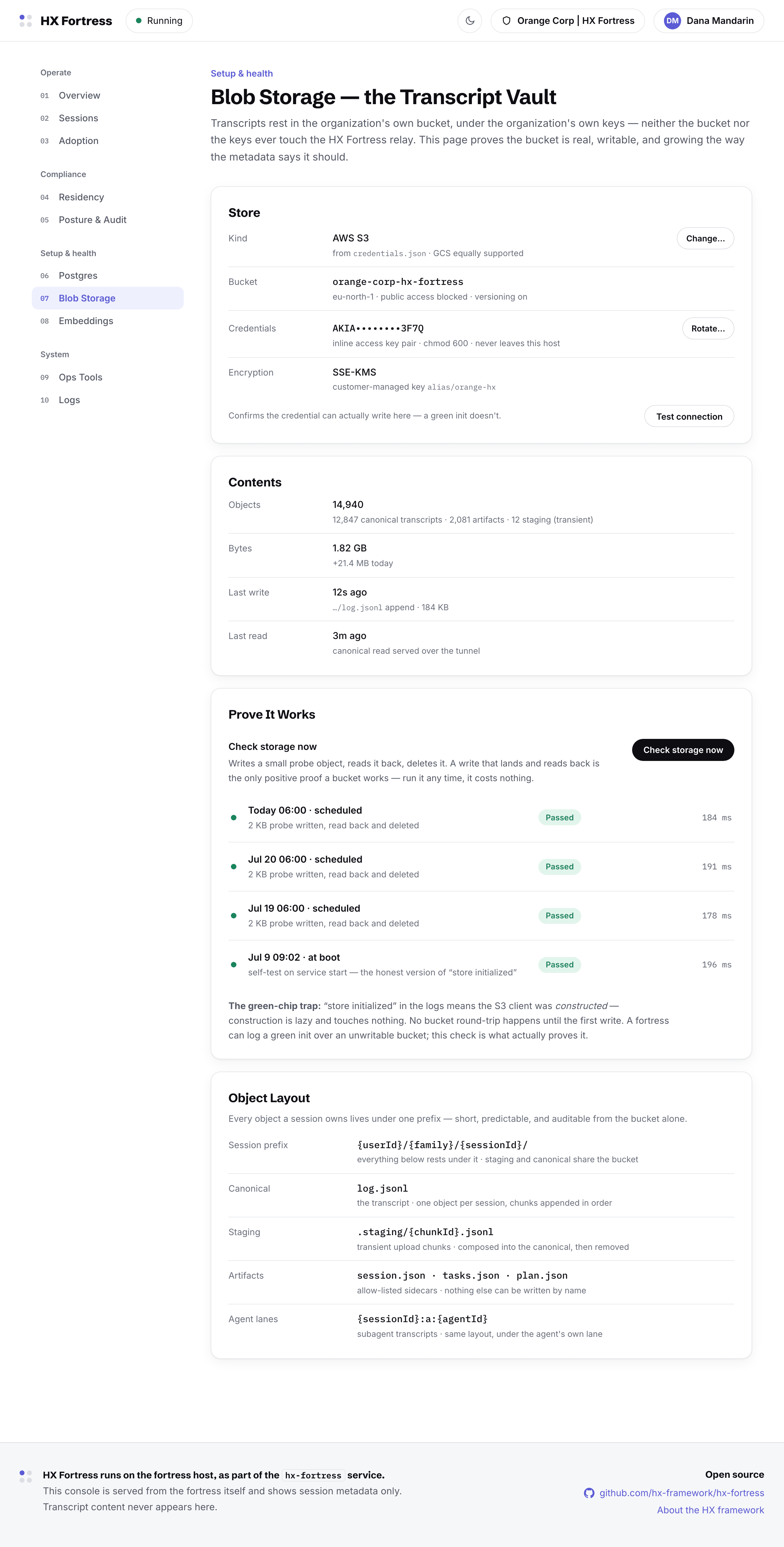
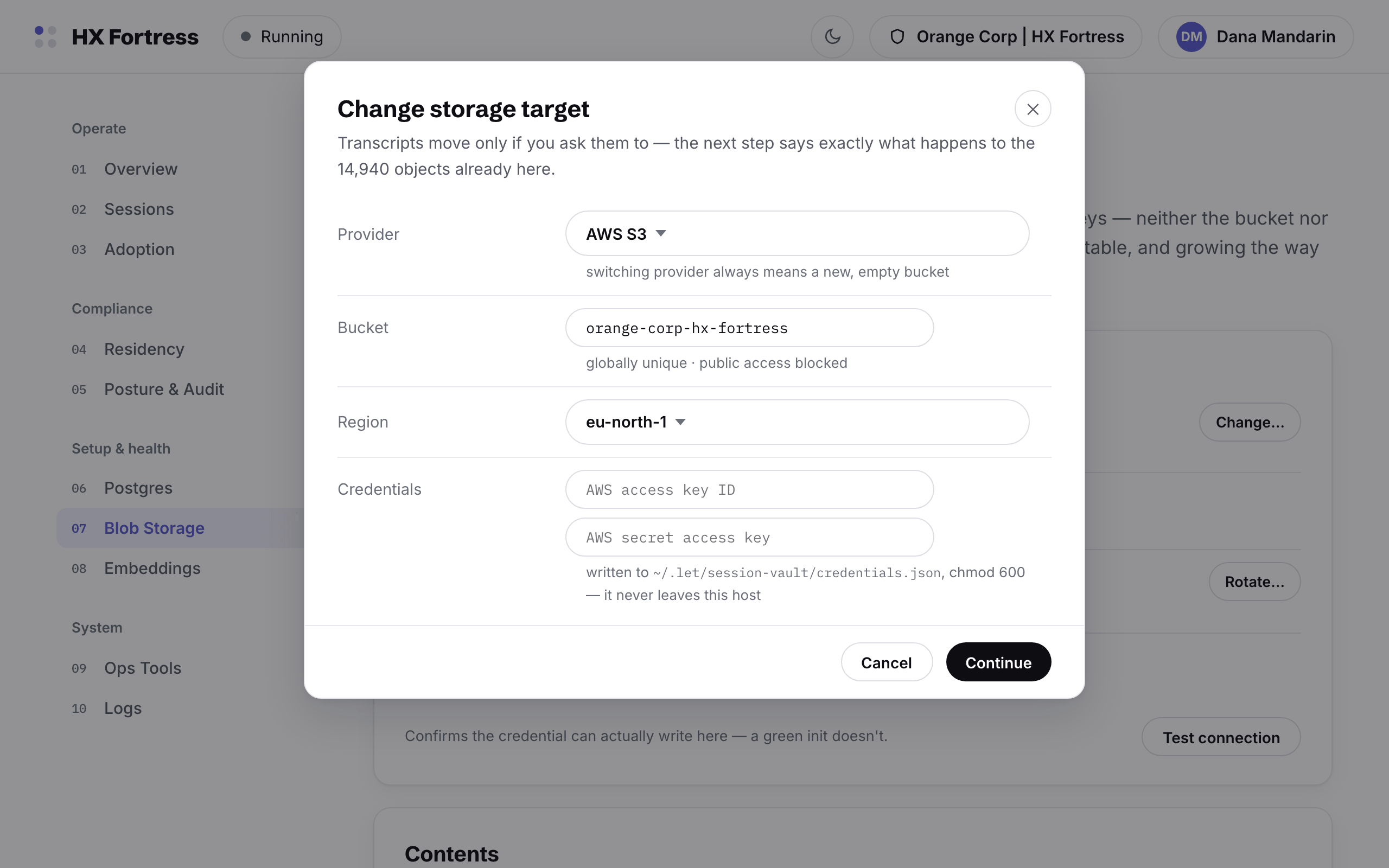
The blob storage page: provider, bucket, region, credential rotation in place, and a test-connection proof
The change-storage-target dialog: provider, bucket, region and fresh credentials
Changing the target: provider, bucket, region — and credentials proven before anything moves.
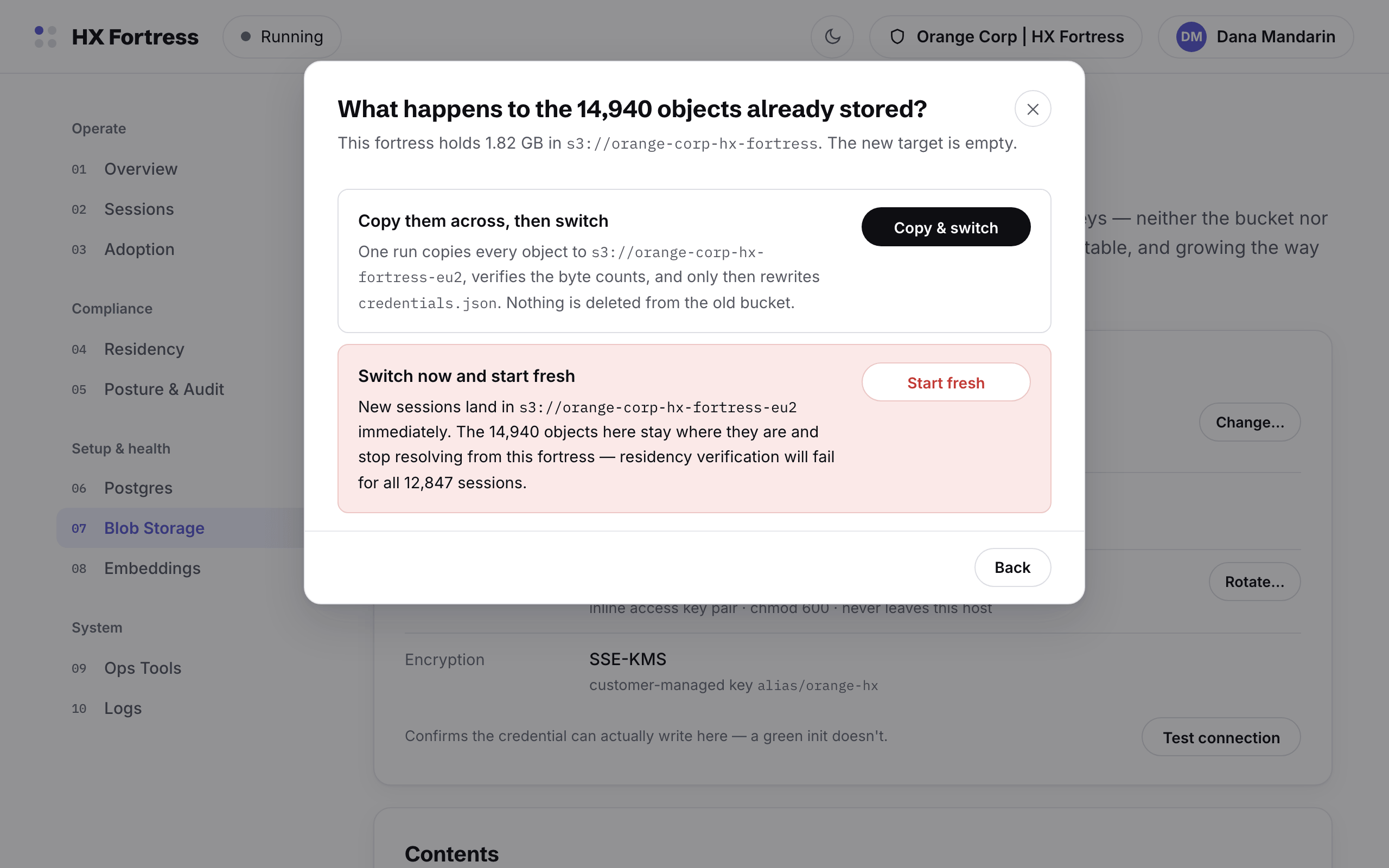
The decision step: copy everything and switch, or start fresh — with the consequences of each stated
The decision, stated honestly: copy and switch, or start fresh and accept that old objects stay behind.
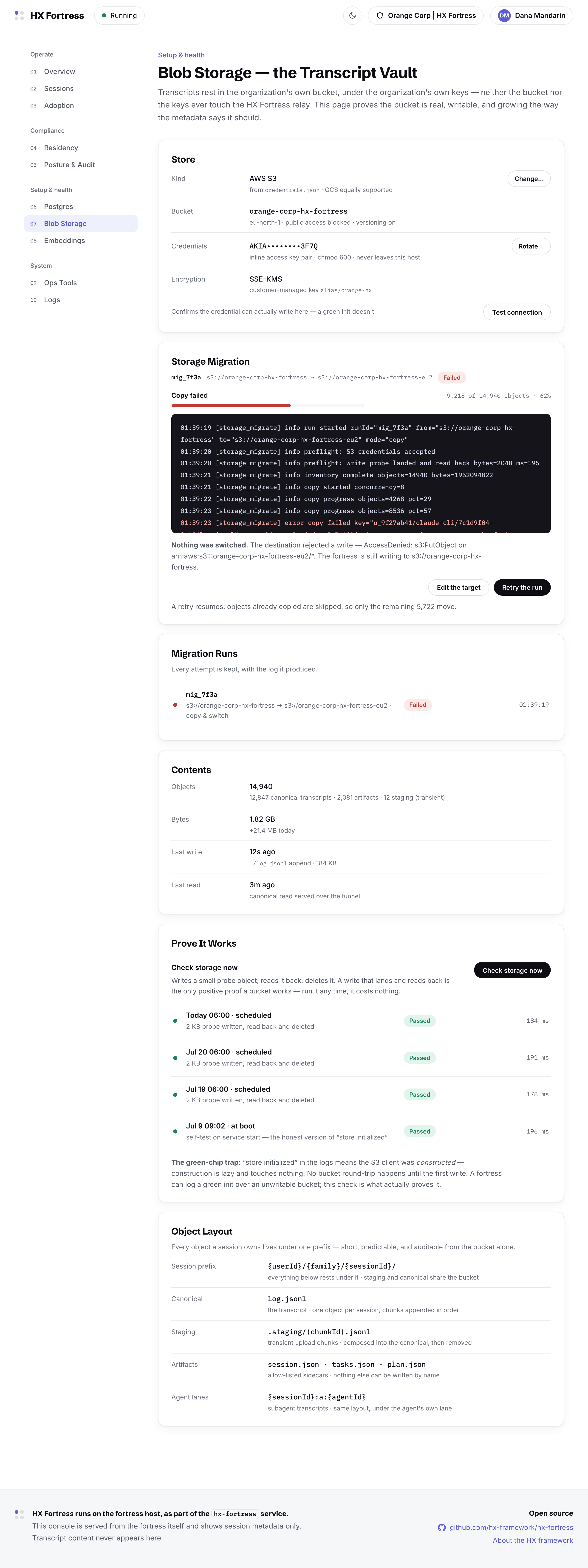
A storage migration run that failed at 62 percent on a destination permission error: nothing switched, the fortress still writes to the old store, and retry resumes idempotently
The demonstration run fails at 62% on a destination permission error — deliberately. Nothing switched, the fortress still writes to the old store, and Retry resumes where the copy stopped.
08Setup & health

Embeddings

The search index, and the one egress it implies: which endpoint vectorizes metadata, configurable in place, with the key rotated on the page that uses it. Vectors live in the fortress Postgres.
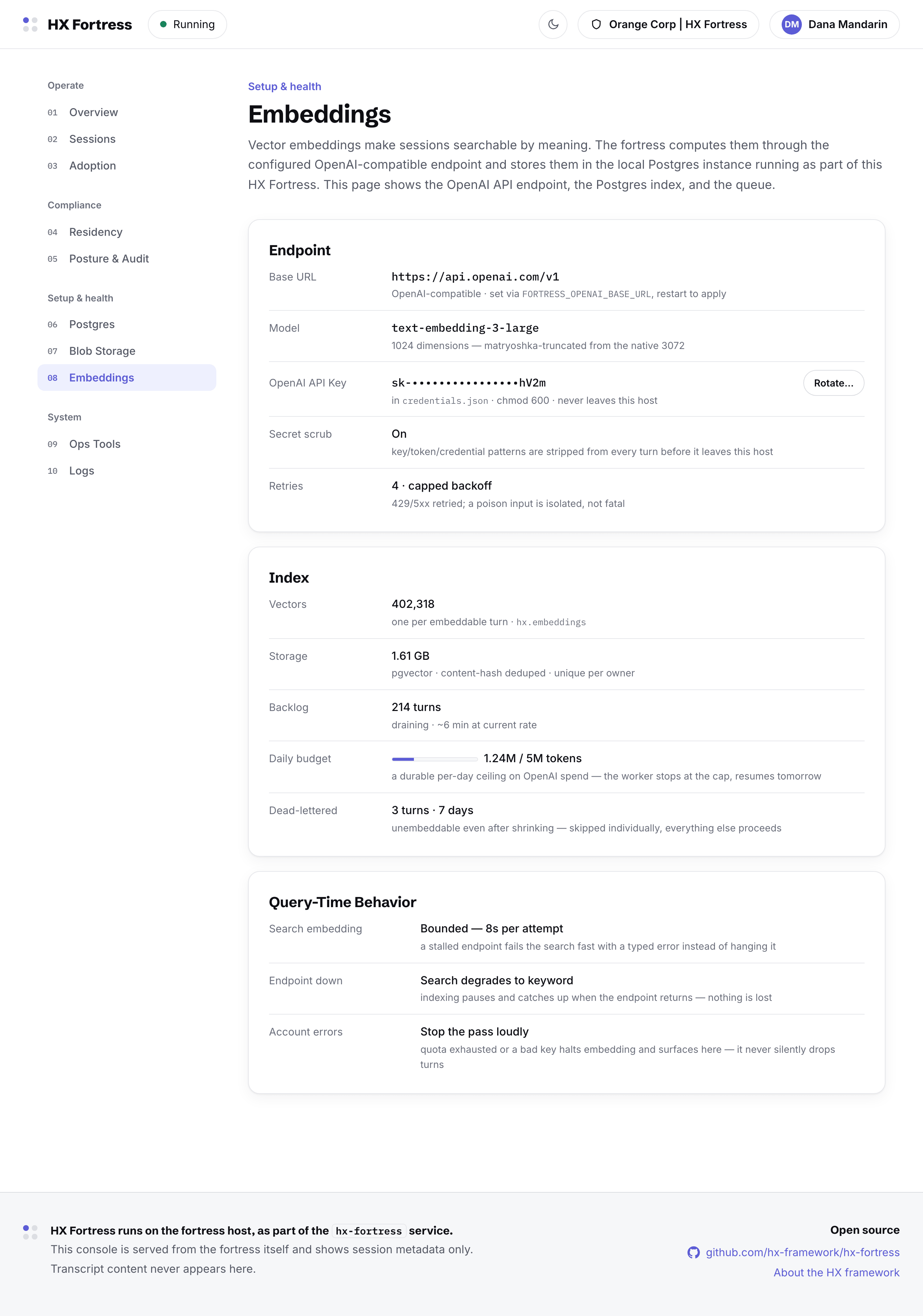
The embeddings page: endpoint configuration, key rotation in place, index backlog and worker state
09System

Ops Tools

The service itself: start, stop, restart, update with checksum verification, the fortress relay credential, and diagnostics — each mirrored one-to-one by an hx-fortress command.
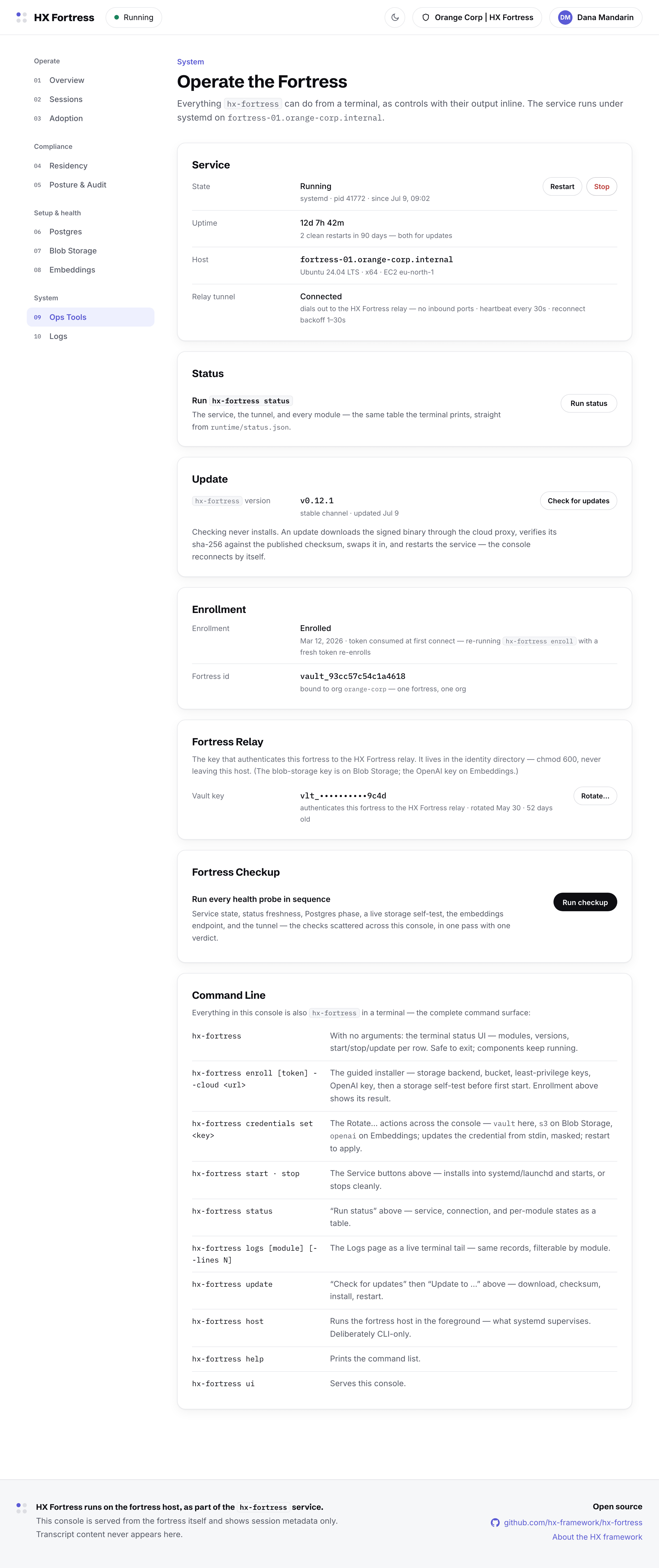
Ops Tools: service controls, update flow, the fortress relay credential, and diagnostics
10System

Logs

The service's own words in the service's own format — source, level, and range as URL segments, so a filtered view is a link a teammate can open.
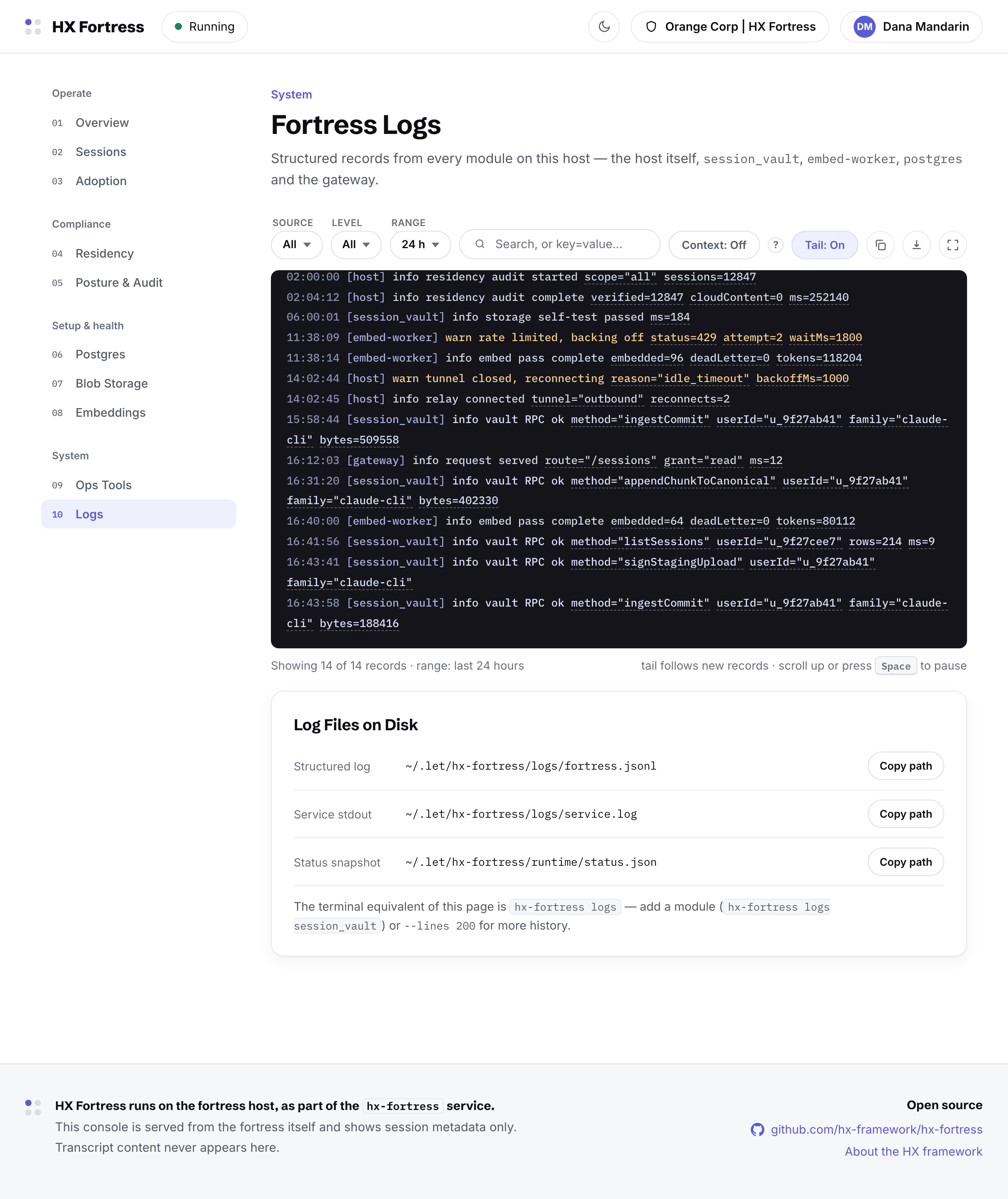
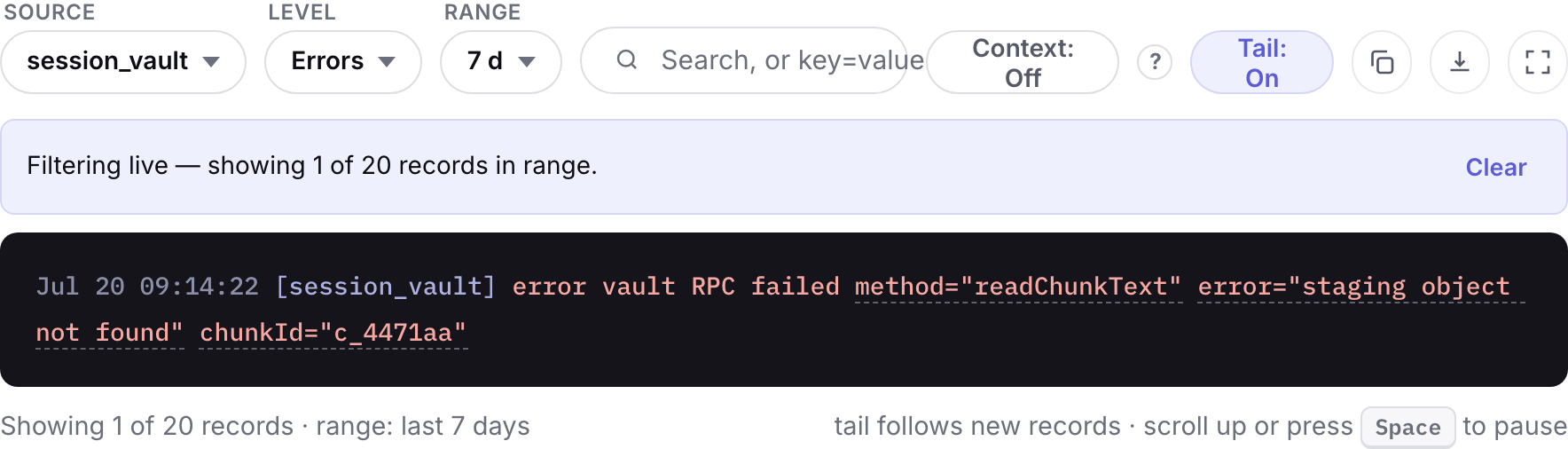
The logs page: live tail with source, level and range filters, and the log file paths on disk
The log pane filtered to session-vault errors across seven days
/logs/session_vault/errors/7d — the filter is the URL.
Appearance

Light and dark

The console follows the system theme, with a manual switch in the top bar. Same layout, same numbers, either way.
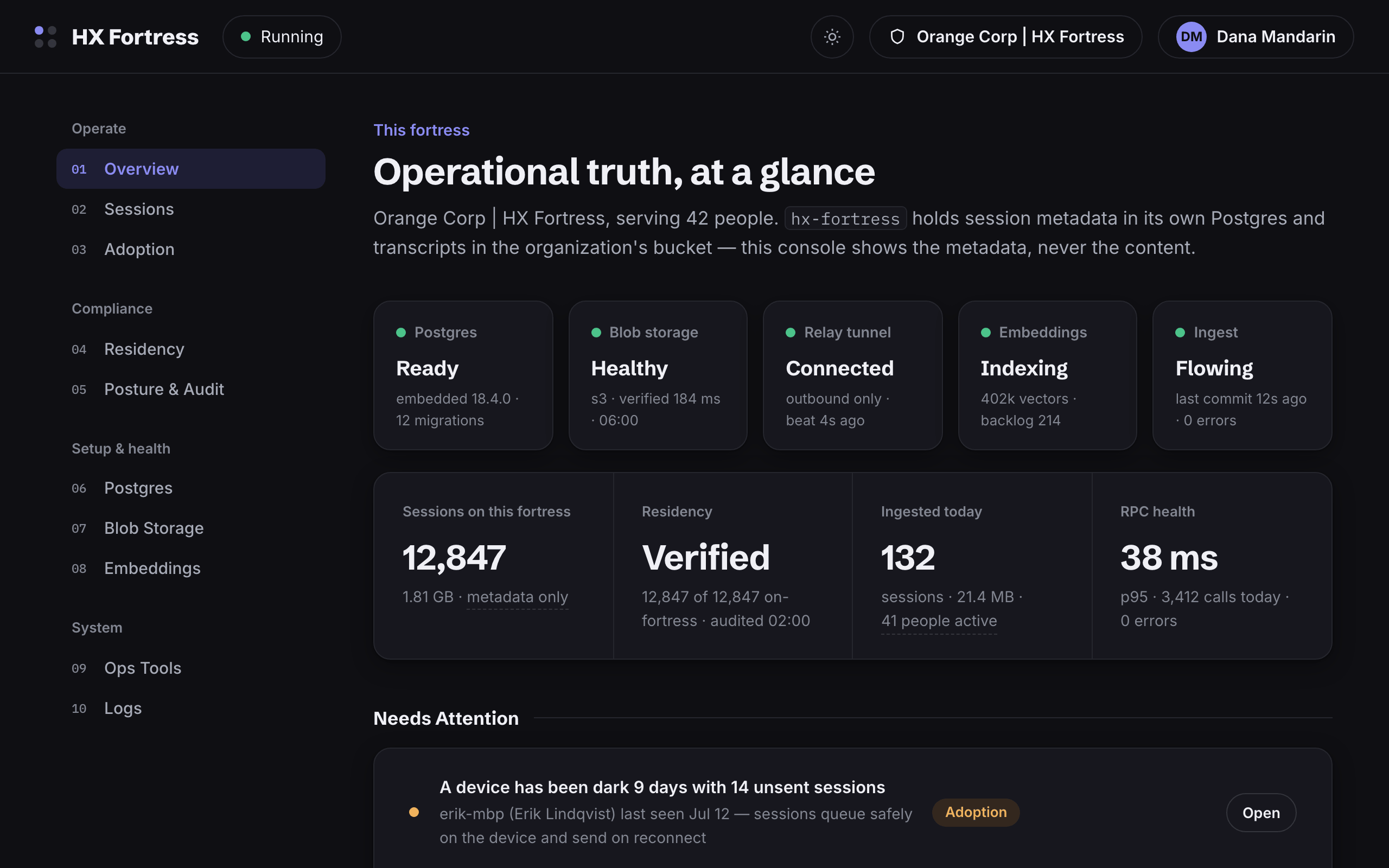
The fortress overview in the dark theme
The Verify Residency dialog in the dark theme