A daemon keeps the record.A page shows its work.
hx is the open-source client that keeps the second codebase: a small daemon that watches the session folders agent tools already write, and mirrors every session to the store its organization runs. HX Client is the daemon's local interface, where every folder, destination, and byte it sends is visible and reversible on the device it runs on.
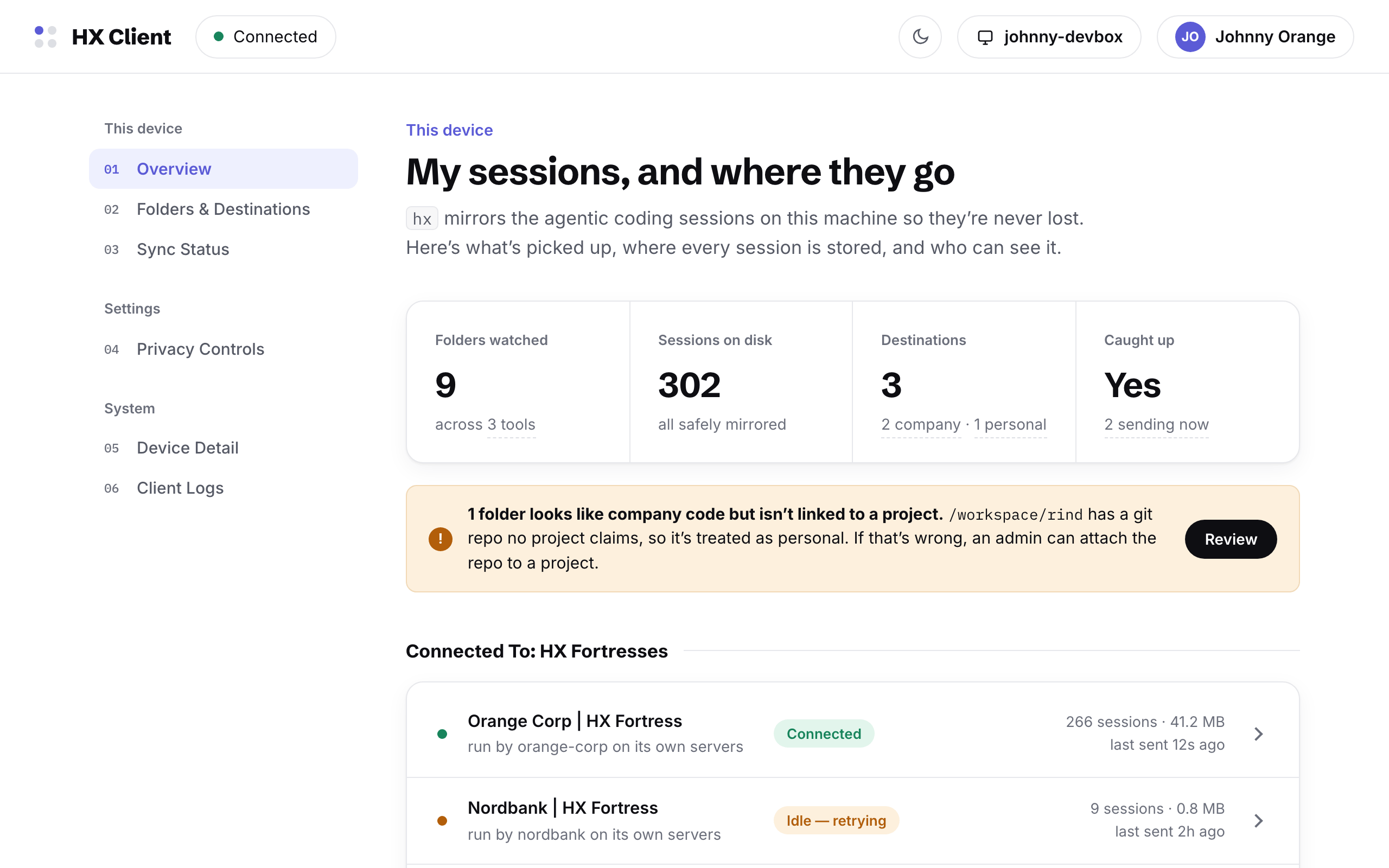
A daemon, an interface,
a destination
The client is deliberately small. It adds no step to anyone's day: agent tools keep writing their sessions exactly as they do today, and hx takes custody from there.
hx — the daemon
One small binary. It watches the folders where agent tools already keep their sessions — Claude Code, Codex, whichever comes next — and mirrors each session to its destination. Nothing changes in the editor, the agent, or the workflow.
HX Client — the interface
The daemon's own page, served from the device at a local address. It shows every watched folder, every destination, every byte queued or sent — and every control to pause, scope, or reverse the flow.
HX Fortress — the destination
Session storage a company runs on its own servers. A personal space holds the sessions that belong to no company, readable by its author alone. The client verifies both continuously, byte for byte — and the fortress has its own console, and its own page.
What a security review finds
Agentic sessions are sensitive by nature: they quote the codebase, the plans, and the people. The client is built with that in mind, and built to be examined — by the engineer who runs it, and by the security teams whose job is to ask.
The organizational side of the same questions — lawful basis, works councils, retention policy — is covered by the policy kit and its GDPR annex.
What leaves the machine
The first question every engineer asks has a literal answer: a preview of the transcript text queued for upload, session by session, before it goes.
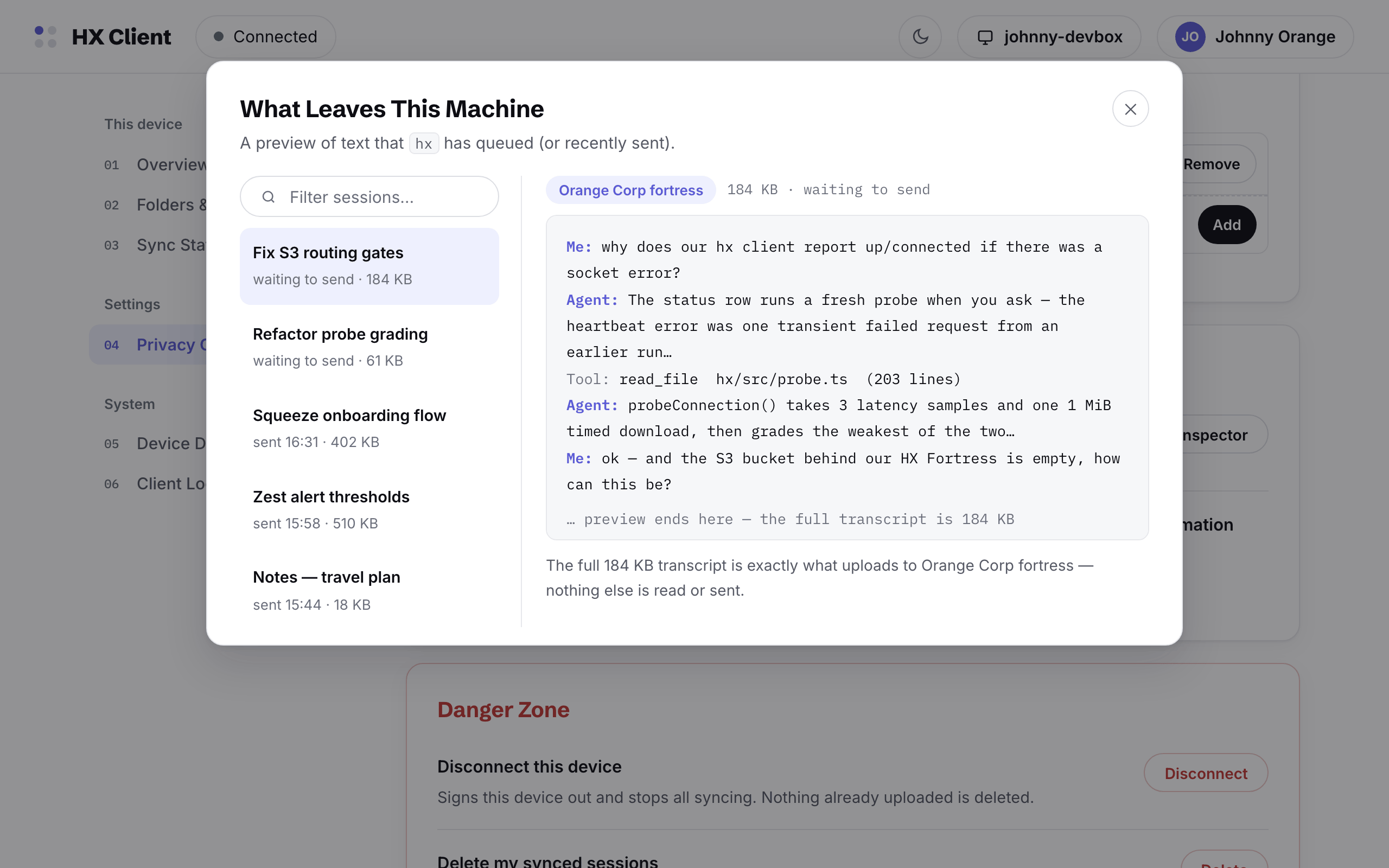
The line under every preview states the contract: the transcript shown is exactly what uploads — nothing else is read or sent. Where content is withheld, the record keeps the conversation's shape, using the same redaction markers PSF defines for the portable record.
The four safeguards, drawn per folder
Trust names four conditions before a session reaches anyone but its author. The interface draws them — for every folder, as the reason it syncs where it does.
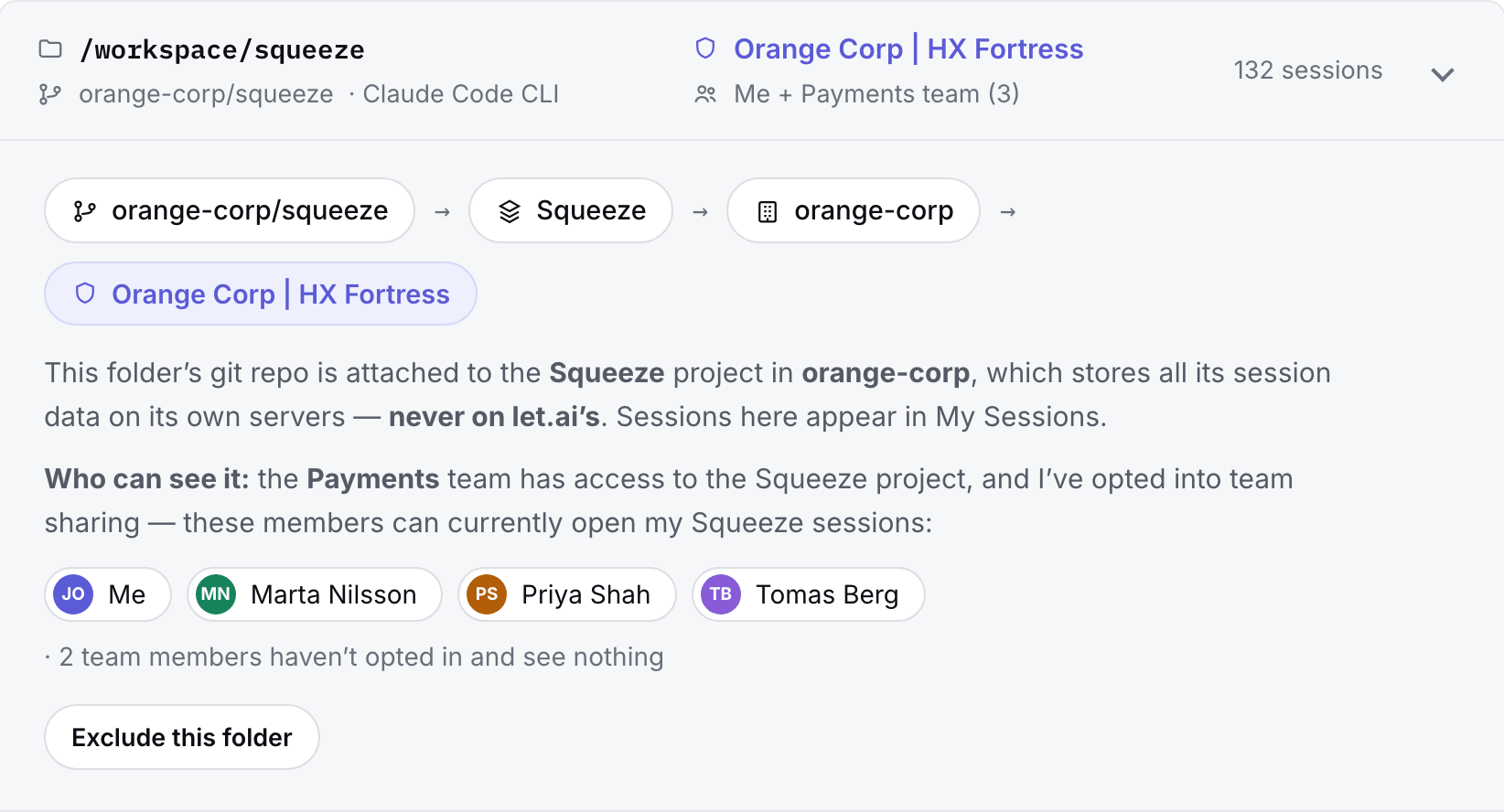
The chain is the first three conditions in order: a work repository, attached to a project, in a company, backed by that company's fortress. The people row is the fourth — a named team, the author's own opt-in, and the two teammates who haven't opted in and therefore see nothing.
Yours to run, read, and audit
The client is one binary, MIT-licensed, stewarded by let.ai research the way the framework itself is. Every claim on this page is checkable in the source — and everything the interface shows is also a command, reading the same local state.
- hx uiopens the interface — the same facts as the commands, drawn friendlier
- hx statusaccount, daemon, connection quality, sync progress
- hx doctor syncanything blocked, since when, and the fix — with --json for automation
- hx logsthe daemon's own words, tailed live